-
02 – Warming Up: Printer is starting; wait.
An HP Error Code 02, often showing as “Warming Up” or just “02,” means the printer isn’t ready, usually due to a door/cover issue (toner/top cover not shut tight) or a communication problem (cable, driver, power), though sometimes it’s just waiting for the fuser to heat up; try restarting, checking/reseating all covers and cables, or waiting longer, but if persistent, it might signal internal hardware failure needing service.
-
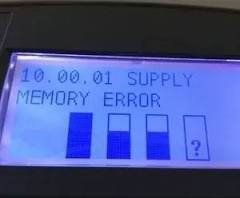
10 – Supplies Memory Error: Low ink/toner; replace cartridges.
An HP Error 10 (Supply Memory Error) means the printer can’t read the toner cartridge’s chip, often fixed by reseating the cartridge, cleaning contacts, doing a hard reset, or replacing a faulty/non-HP cartridge, as it signals a bad chip or connection rather than low toner. Try removing/reinserting the toner, cleaning contacts, then performing a power reset; if it persists, the cartridge chip might be bad, especially with third-party inks.
-
11 – Paper Out: Load paper.
HP Error 11 (Paper Out) means the printer thinks it’s out of paper, but it could be a sensor/tray issue or a toner/cartridge communication problem, especially on LaserJets. To fix it, first check paper (restack, no jams, guides tight); if that fails, try power cycling, cleaning toner contacts, and reseating the toner cartridge firmly. If it’s still stuck, the sensor might be faulty, requiring HP support
-
13.x – Paper Jam: Clear all jammed paper.
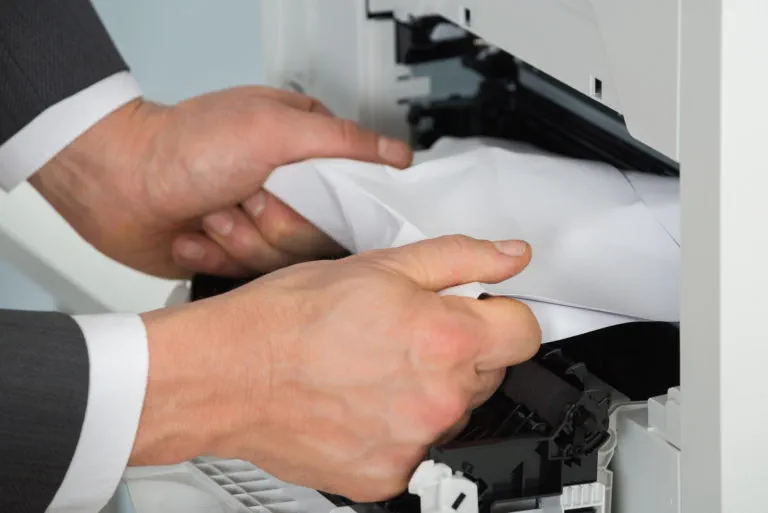
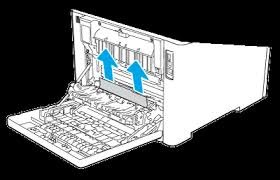
To clear HP Error 13.x (paper jam), you must systematically check all access points (trays, front, back, duplexer) for tiny paper scraps, gently pull out any jammed paper in the direction of the paper path, inspect and clean rollers, and then reset the printer by power cycling it to clear the sensor error.
-
14 – No EP Cartridge: Cartridge door open or cartridge missing/faulty; install or close door.
- 41 – Temporary Print Engine Error: Cycle power (turn off/on).
- 49 – Printer Error: Communication error; restart printer and computer, check cable connections.
- 50.x – Fuser Error: Problem with fuser unit; power cycle.
- 57.xx – Fan/Gear Error: Fan failure or seized gears; power cycle.
- 61.xx – Formatter/Memory Error: Issue with controller board; power cycle.